
不用续费更新的 CleanShot X 替代品:用户怎么说,ScreenKite 适合在哪
CleanShot X 用户喜欢它的精致,但总在提每年的更新续费。这里是他们在 Reddit 和 Hacker News 上的原话,以及 ScreenKite 的一次买断在录屏上如何对比。
不用续费更新的 CleanShot X 替代品
CleanShot X 是个精致的工具,很多人每天都在用。反复被提起的抱怨不是质量,而是续费。
ScreenKite 免费使用。 所有编辑功能都免费。一次支付 $79.99 即可去掉导出水印,覆盖 3 台 Mac,永不续费。创始人价至 2026-10-31,之后为 $99.99。原生支持 Apple Silicon 和 Intel。试用 ScreenKite
CleanShot X 用户怎么说(原话)
引文保留英文原文,括号内为中文大意。
"A one time payment with a cliff for updates"(一次付费,但更新有断崖)
- kenperkins 在 r/MacOSApps(2026 年 5 月 6 日):"I am a paying user of cleanshot and use it 20 times a day but it's not a one time payment. It's a one time payment with a cliff for updates (1 year) and after that you have to pay more or risk a lack of updates impacting your usability."(我是 CleanShot 的付费用户,一天用 20 次,但它不是一次付费。它是一次付费加一年更新的断崖,之后要么再付钱,要么冒着没有更新、影响使用的风险。)
- MC_chrome 在 r/macapps(2026 年 9 月 7 日):"They haven't stopped prior versions from working, but they aren't guaranteeing that those versions will work in the future either"(他们没让旧版本停用,但也不保证旧版本以后还能用。)
"The renewal thing always bugged me"(续费这件事一直让我不爽)
- luihgi 在 r/macapps(2026 年 7 月 17 日):"I used CleanShot for about a year and it was solid but the renewal thing always bugged me."(我用了 CleanShot 大约一年,挺扎实,但续费这件事一直让我不爽。)
- cleverleal 在 r/macapps(2026 年 3 月 4 日):"CleanShot is more polished overall and the cloud upload feature is nice for sharing, but honestly the subscription renewal part bugs me."(CleanShot 整体更精致,云端上传分享也不错,但说实话,订阅续费这部分让我很烦。)
- Responsible-Job1455 在 r/macapps(2026 年 2 月 28 日):"sure cleanshot has more polish but i couldn't justify paying yearly for a screenshot tool."(CleanShot 确实更精致,但我说服不了自己每年为一个截图工具付钱。)
- parica99 在 r/macapps(2026 年 3 月 6 日):"the scrolling capture is the one thing cleanshot does noticeably better, but I'm not paying a subscription for one feature."(滚动截图是 CleanShot 明显做得更好的一点,但我不会为一个功能付订阅。)
Studio Mode 与视频
CleanShot 5.0 加入了 Studio Mode,一个视频编辑器。Reddit 上的反响大多是正面的。大家提到的差距,是和专门的录屏工具相比:webjac 在 r/macapps(2026 年 9 月 1 日)写道 "Screen Studio is still more feature complete: (full screen camera option is something I'm missing here)"(Screen Studio 功能还是更完整,我这里缺一个全屏摄像头选项)。
X 上有两条关于 Studio Mode 的需求都和速度有关:
- @jtaby(2026 年 9 月 17 日):"really wish studio mode had a speed ramp feature"(真希望 Studio Mode 有变速功能)
- @sarah_edo(2026 年 9 月 20 日,整条帖子总体是正面的):"Feature request: can you please add in the ability to change playback speed on the clips? It's the only reason I'm still opening QuickTime."(功能请求:能不能加上调整片段播放速度的功能?这是我还在打开 QuickTime 的唯一原因。)
还有一位用户原本以为 Studio Mode 能比得上 Screen Studio:@tomasmalamud(2026 年 10 月 1 日):"I didn't renew my sub and instead renewed my CleanShot license, thinking that the new release would be the same as ScreenStudio, but it's not even close. I'll renew ScreenStudio now."(我没续订 Screen Studio,而是续了 CleanShot 授权,以为新版本会和 ScreenStudio 一样,结果差得远。我现在要回去续 ScreenStudio 了。)
用户报告过的 bug
- @alvgaona(2026 年 9 月 29 日),谈到停留在 4.6 的用户:"we need a fix for users on 4.6 due to issues with macOS 27 breaking the app. → Crashes after taking a screenshot of a specific window → Crashes after adding background to a screenshot"(4.6 的用户需要一个修复,macOS 27 把应用弄坏了:截取特定窗口后崩溃,给截图加背景后崩溃。)
- @BDoma(2026 年 9 月 13 日):"There's a weird bug in the latest Cleanshot v5 … Capture an area of the 6K screen 👎🏼📛 Bad: downsamples it to 1x size"(最新的 CleanShot v5 有个奇怪的 bug:在 6K 屏幕上截取区域,会被降采样到 1x。)
- @BenjDicken(2026 年 10 月 11 日):"CleanShot is broadly cool, save for one annoying bug that the devs have not fixed even after multiple requests to support."(CleanShot 总体很棒,就是有一个烦人的 bug,向支持反映了好几次,开发者一直没修。)
在 Hacker News 上,michaelbuckbee(2026 年 3 月 2 日)描述了 "a peristent bug where taking a screenshot with CleanShot somehow resets the DisplayPort driver and everything flips out for a minute and it has to rediscover the external monitors."(一个一直存在的 bug:用 CleanShot 截图会莫名重置 DisplayPort 驱动,整个系统乱一分钟,然后重新识别外接显示器。)他把这放在 macOS Tahoe 改动的背景下来讲。
CleanShot X 适合的场景
如果你每天的工作是截图、标注、滚动截图和快速生成云端链接,CleanShot X 在这方面非常好,上面的用户也这么说。那就留着它。
如果你的工作是录制演示、教程和产品视频,你需要的是一个围绕录屏和时间线编辑器打造的工具。
我们做的不一样
我们不会为了花哨的功能牺牲基本功。ScreenKite 存在的意义,是让你的录制真正能用,让你把作品交出去,拿下结果。
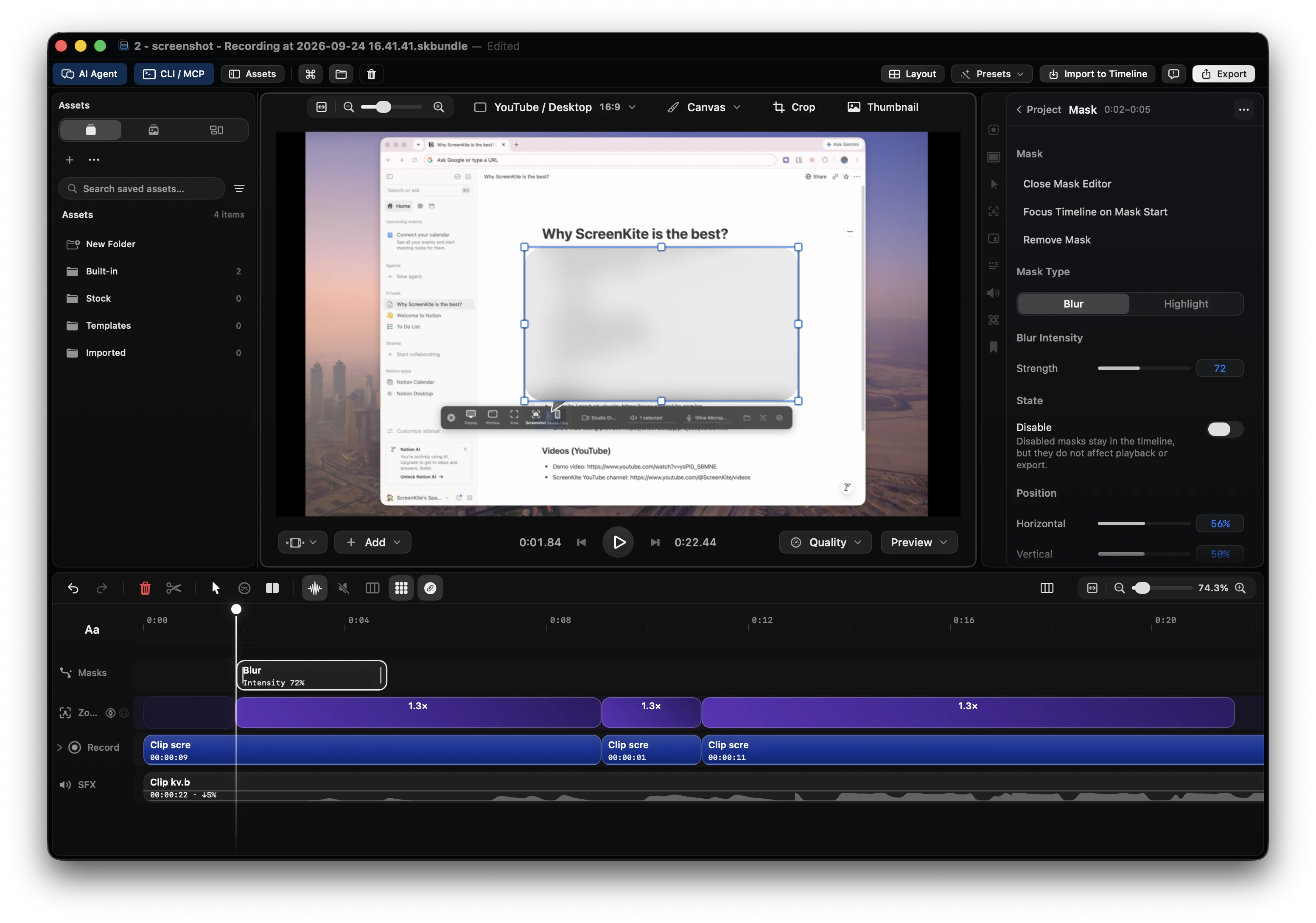
- 带时间线编辑器的录屏工具,而不是在截图工具上加一个视频模式。
- 原生 macOS,Swift 与 Metal,macOS 15 或更高版本,支持 Apple Silicon 和 Intel。ScreenKite 还提供原生 Windows Beta(C++23 / Direct3D)。
- 时间线上的片段变速:右键点击片段即可选择 0.5× 到 25× 的预设,或在 Speed 标签页里设置任意数值。
- 83 个专用编辑工具,你和你的 AI agent 在同一个编辑界面上都能使用。
- AI 费用 $0。 Agent 用量计入你已经在付费的方案:Claude Code、ChatGPT Codex、Antigravity、Grok Build 或 Kimi。
Apple、Reddit、HubSpot 和 GitHub 的人在用 ScreenKite。
叠加起来的报价
- 结果: 一段可以直接发布的、完成度高的录制。
- 付钱前先验证: 免费使用,包含所有编辑功能。先用你自己的录制试一试。
- 见效时间: 在一个应用里完成录制、剪辑和导出。
- 投入: 告诉你的 agent 要剪哪里,它来完成剪辑。
- 价格: 一次支付 $79.99,覆盖 3 台 Mac,永不续费,14 天内无理由退款。创始人价截至 2026-10-31,之后为 $99.99。
CleanShot X 与 ScreenKite 对比
| 需求 | CleanShot X | ScreenKite |
|---|---|---|
| 主要用途 | 截图、标注、捕获,外加 Studio Mode 视频 | 录屏和时间线剪辑 |
| 定价模式 | 用户描述为买断含 1 年更新,之后续费 | 一次付费,无订阅 |
| 视频编辑器里的片段变速 | 用户在请求(见上文) | 0.5× 到 25× 预设,并可自定义数值 |
| AI 剪辑 | — | 83 个工具,使用你自己的 agent 方案,AI 费用 $0 |
事实
- 产品: ScreenKite
- 平台: macOS 15 或更高版本,Apple Silicon 和 Intel;原生 Windows Beta
- 价格: 免费开始。一次买断即拥有。创始人价 $79.99 至 2026-10-31,之后 $99.99;3 台 Mac;无订阅
- Agent: Claude Code、ChatGPT Codex、Antigravity、Grok Build、Kimi
- 核对日期: 2026-10-11
常见问题
CleanShot X 是一次买断吗?
用户描述它是包含一年更新的购买,之后要再付费才能继续获得更新。当前条款请以 CleanShot 自己的价格页为准。
ScreenKite 有订阅吗?
没有。它免费使用,一次支付 $79.99(创始人价至 2026-10-31,之后 $99.99)即可在 3 台 Mac 上去掉水印。
我应该用 ScreenKite 替换 CleanShot X 吗?
截图的话,不用。录制演示和视频的话,用一段真实录制试试 ScreenKite,再做比较。
需要注册账号吗?
需要,ScreenKite 需要账号。
在你的下一段录制上试试
试用 ScreenKite。免费开始。一次买断即拥有。
Related articles
Mac 上的 Loom 替代品:崩溃、涨价和下载受限,用户原话
Loom 用户在 Reddit 上描述了录到一半崩溃、CPU 占用和价格上涨。这里是他们写的内容、Loom 仍然占优的地方,以及为什么像 ScreenKite 这样的原生 Mac 录屏工具可能更适合精致的视频。
Screen Studio 4.0 问题汇总:哪些坏了、哪些被回滚,以及最佳替代方案
Screen Studio 4.0 带来了导出失败、Intel Mac 上编辑器黑屏,以及功能被挪回 Beta。这里是 2026 年 10 月的公开记录,也解释了为什么 Mac 创作者正在转向 ScreenKite。
 screen-studio
想要完整工作室的创作者的 Screen Studio 4.0 替代品:录制、多轨剪辑、让你的智能体动手
Screen Studio 4.0 新增了按文字稿剪辑和分屏。ScreenKite 在一个原生应用里完成录制、多轨时间线剪辑,并接入你自己的编程智能体。免费开始,一次性支付 $79.99 去除水印。