
Screen Studio 4.0 Alternative for Creators Who Want a Full Studio: Record, Edit on Tracks, Direct Your Agent
Screen Studio 4.0 adds edit by transcript and split screen. ScreenKite records, edits on a multi-track timeline and takes your own coding agent in one native app. Free to start, $79.99 once to remove the watermark.
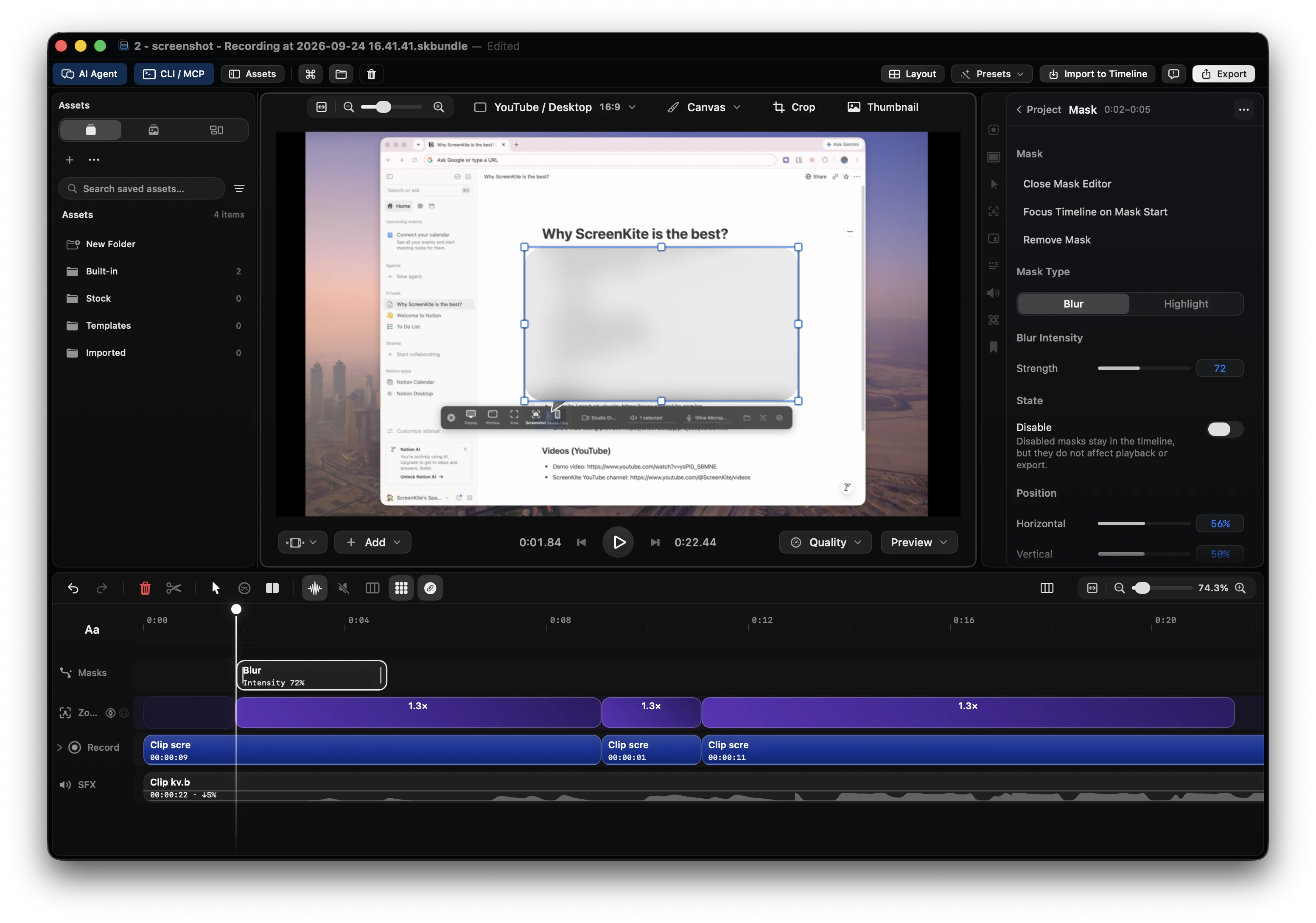
You are looking at Screen Studio 4.0 because you make product demos, tutorials or launch clips. You want more than a polished recording. You want the whole video made in one place: the take, the cuts on a real timeline, the captions, and an agent that does the first pass. ScreenKite records your screen, edits it on a multi-track timeline and takes the coding agent you already pay for, in one native app.
Free to start. Pay once to own.
- Unlimited recording. Every editing feature is free.
- Free export carries a brand watermark and an animated brand outro.
- One payment of $79.99 removes them, covers 3 Macs and never renews. Founder price until 2026-10-31, then $99.99.
- 14-day refund, no reason asked. The ScreenKite AI fee is $0.
What Screen Studio 4.0 adds
Screen Studio is a good recorder, and version 4.0 makes the recording look better. Version 4.0.0 shipped on 2026-10-01. Its release notes list these features (checked 2026-10-01):
- Glass Loupe, a lens that magnifies one detail of your screen.
- Camera cutout (beta), which removes your background on your Mac.
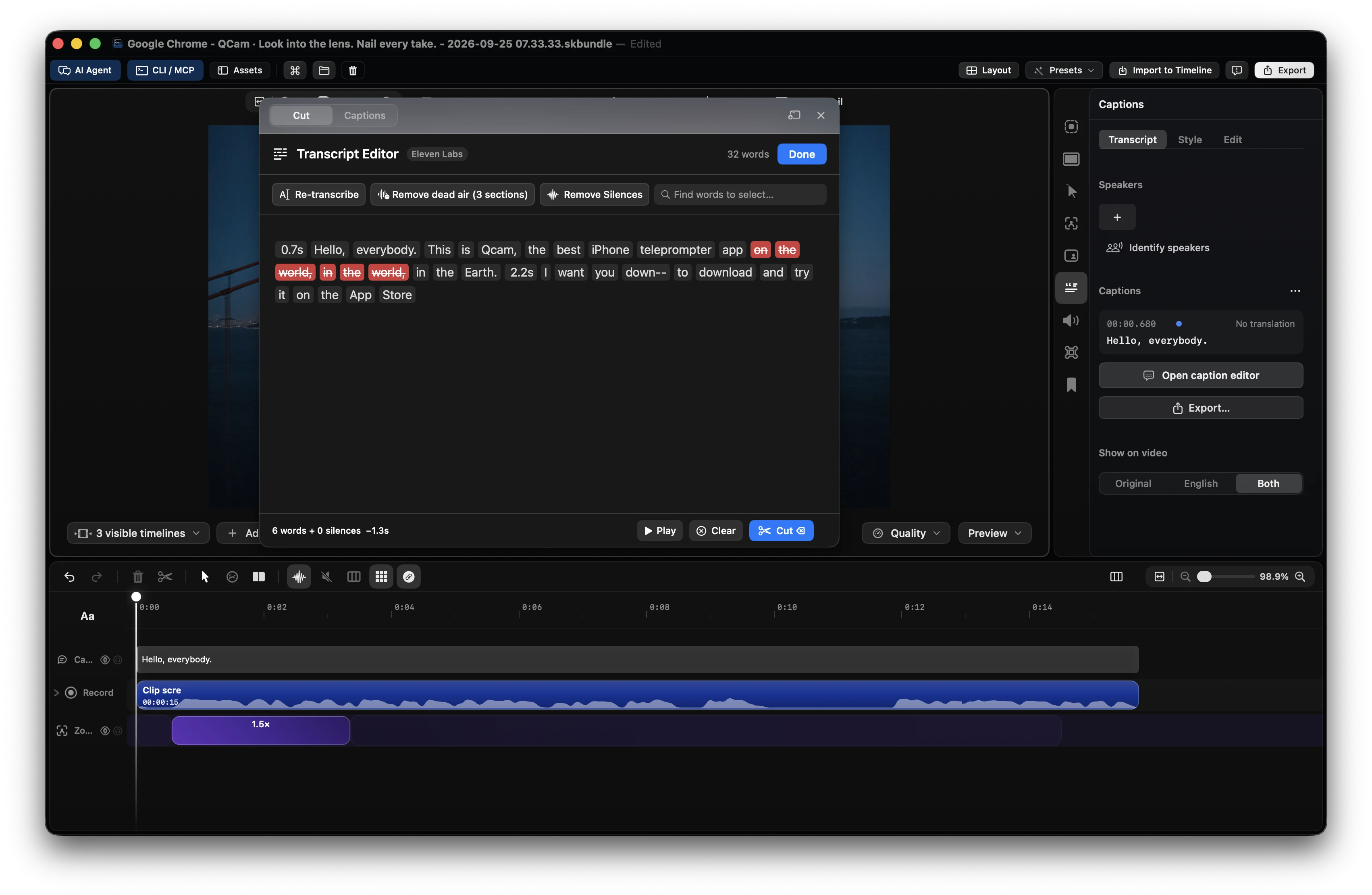
- Edit by transcript. Delete a sentence to cut it. Filler-word removal and "Tighten pause" offer cuts for you.
- Split screen, with you and your screen side by side or stacked.
- Face tracking and Hide during silence for the camera.
- Color grading with presets or your own LUT file.
- Sharper zooms from an AI model that runs on your Mac.
- Caption styles, and a cloud transcription option that uploads your microphone audio.
- Share project (beta), which sends a whole project as a link.
The same notes say that new recordings are up to 2x smaller, that projects saved in Screen Studio 4 do not open in Screen Studio 3, and that with macOS 26 or later Whisper is removed from "Transcript method".
Its 4.0 release notes and its homepage list no multi-track timeline. Pricing is on the Screen Studio pricing page.
What is inside the Screen Studio 4.0.1 app
The homepage says Screen Studio is built for Apple silicon and records with ScreenCaptureKit. The app around that capture is an Electron app. We downloaded Screen Studio 4.0.1 (build 4897) for Apple silicon from the download page on 2026-10-01 and opened the bundle:
- It contains
Electron Framework.framework, version 43.2.0, with Chrome 150. - The app code ships in an
app.asararchive. - It includes Helper apps for GPU, Renderer and Plugin processes.
- The download is 720 MB. The installed app is 1.17 GB.
The founder said the same thing in 2023: "Screen Studio is an Electron app made with web technologies" (post on X).
A studio is where the finished video comes out
A recorder makes the take look good. A studio is where the take becomes the finished video. That is the job ScreenKite does: automatic motion on the recording, plus a non-linear multi-track timeline, in one workflow. We call it Unified Studio Value.
- Record and edit in the same window. Capture a display, a window or an area. The take opens on the timeline, ready to cut.
- Edit on tracks. Screen, camera, audio, background music, overlays, captions and zooms each get a track. Drag media in from Finder, split, trim, add transitions and freeze frames.
- Cut by deleting words. Delete a sentence in the transcript and the matching video and audio leave the timeline. Remove dead air and silences in one pass.
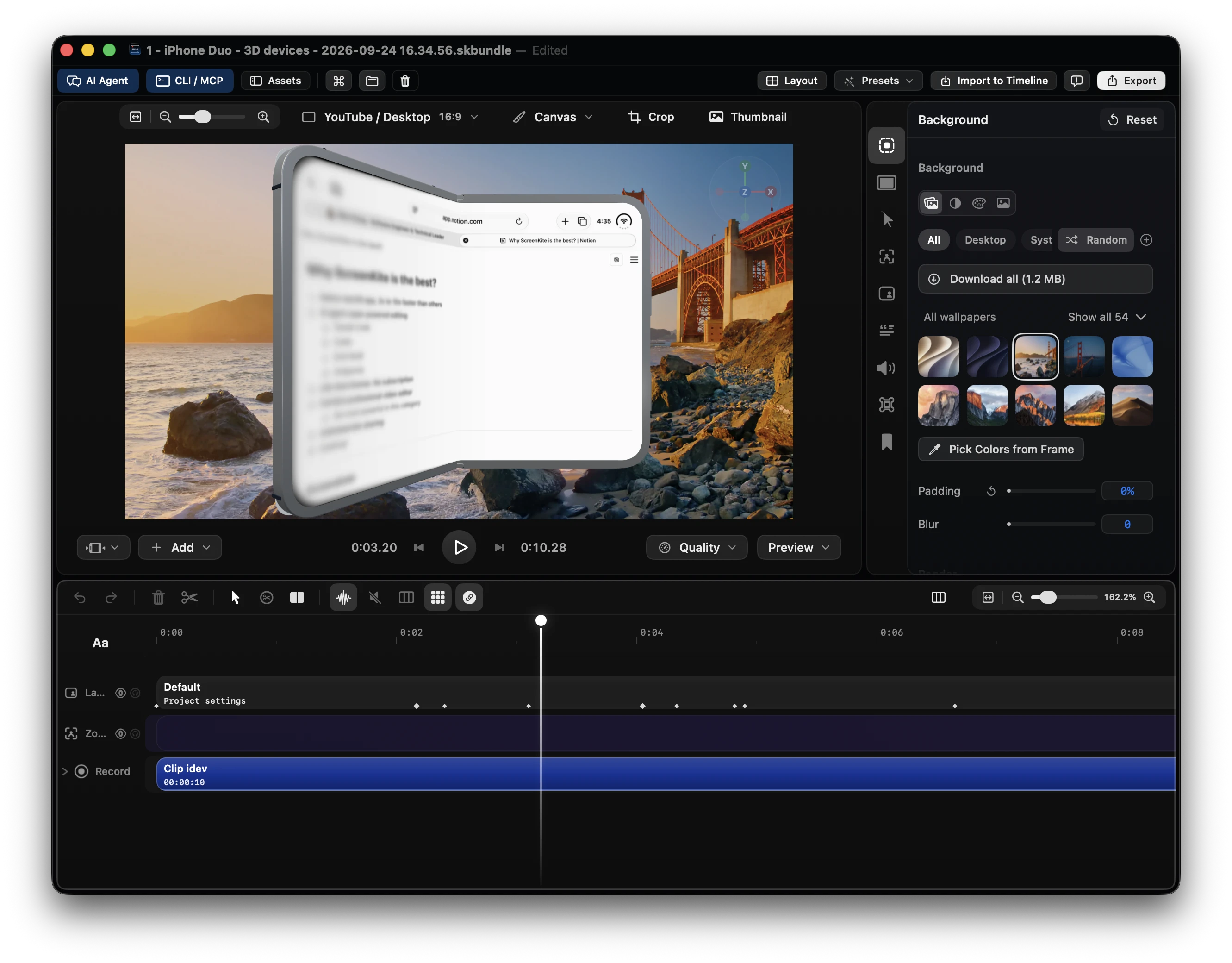
- Add the launch look. Auto zoom, backgrounds, device frames and captions with word-by-word highlight.
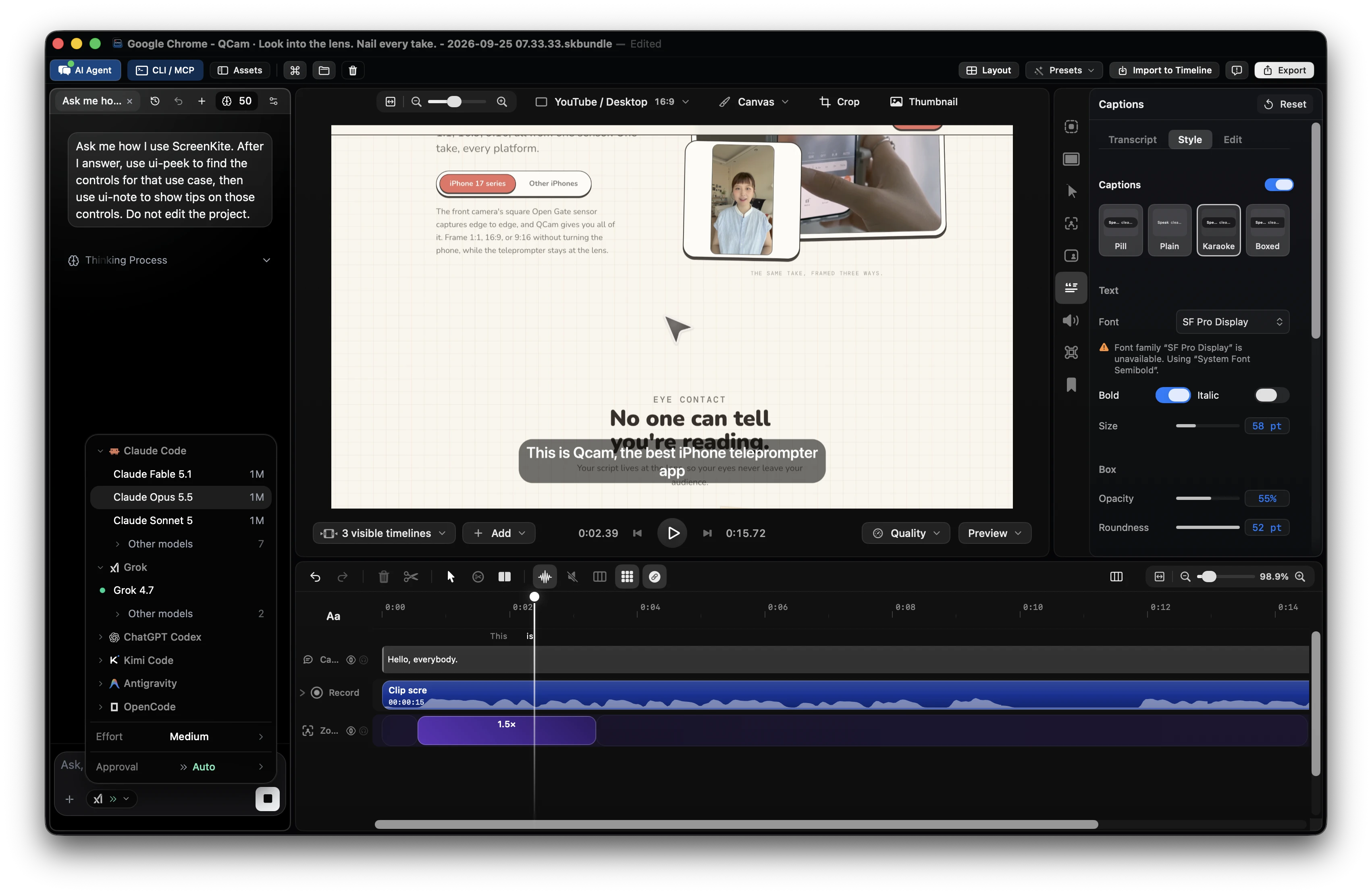
- Hand the edit to your agent. Claude Code, ChatGPT Codex, Antigravity, Grok Build and Kimi work on the same timeline you do. Your agent bills to the plan you already pay for.
- Work on Windows too. ScreenKite ships native macOS and a native Windows Beta (C++23 / Direct3D).
Why I built one app for this
A few versions ago, one product demo took me an afternoon. I recorded it in Screen Studio. The edits I needed were not there, so the clip went to Final Cut. I fixed the cuts, the animations broke, and I exported again. Two tools, two payments, one afternoon gone. I built ScreenKite so the recording and the edit happen in one app, and that afternoon stays yours.
Mike Chong, Founder of ScreenKite (@realMikeChong)
How it is built
- A native Mac app. ScreenKite 2.1.8 is a Swift app that links Metal, ScreenCaptureKit and VideoToolbox, and its bundle contains no Electron framework. Capture, preview and export run on the Mac's own frameworks, GPU and hardware video encoder.
- One build for every Mac. The app is universal, for Apple Silicon and Intel, on macOS 15 or later. The download is 213 MB and the installed app is 413 MB.
- Transcription on your Mac. WhisperKit runs on Apple Silicon, so your audio stays on the machine. On Intel, you set ElevenLabs cloud transcription in Settings, Transcription.
- One tool surface for you and the agent. 83 purpose-built editing tools, shaped by tens of thousands of hours of video-editing practice. They run through the same mutation coordinator as the buttons, so an agent edit undoes exactly like a click.
- A plan before the edits that change meaning. A timeline cut, a silence, word or dead-air cut, generated chapters, a caption import or patch, and a voiceover or camera replacement return a plan on the first call and change nothing. A second call applies it. Removing a track does not propose. It applies at once.
- The approval step lives in the chat panel. The server never waits for a human. The Core Agent chat panel gates each tool on its risk tier. An agent in a terminal or a third-party MCP client is not gated.
Screen Studio 4.0 vs ScreenKite
| Need | Screen Studio | ScreenKite |
|---|---|---|
| Polished screen recording | Yes. 4.0 adds Glass Loupe, sharper zooms, camera cutout (beta) and split screen | Yes. Auto zoom, backgrounds, device frames, camera layouts |
| Edit by transcript | Yes, new in 4.0, with filler-word removal and tighten pause | Yes. Delete words to cut, remove dead air and silences |
| Multi-track timeline | Its 4.0 release notes and homepage list none | Screen, camera, audio, music, overlay, caption and zoom tracks |
| Your own coding agent | See screen.studio | Claude Code, ChatGPT Codex, Antigravity, Grok Build, Kimi over 83 local tools |
| App framework | Electron 43.2.0 with Chrome 150 (4.0.1) | Swift with Metal, ScreenCaptureKit and VideoToolbox (2.1.8) |
| Download and installed size | 720 MB and 1.17 GB (4.0.1, Apple silicon build) | 213 MB and 413 MB (2.1.8, universal build) |
| Platforms | See screen.studio | macOS 15 or later on Apple Silicon and Intel, native Windows Beta |
| How you pay | See the pricing page | Free with watermark. $79.99 once for 3 Macs. No subscription |
Sizes measured on 2026-10-01. Download size is the file the download page serves. Installed size is the sum of the files inside the app bundle.
Cross-platform & Roadmap: macOS is fully native; the Windows native Beta application is now available for download (powered by a dedicated Direct3D/C++23 engine), with a Chrome extension in development.
Creators and teams choose it because it pairs ultra-fast local hardware exports and built-in link sharing with timeline AI agent editing via Claude Code, ChatGPT Codex, Antigravity, or Grok Build. Describe the cut; the agent does the trims.
Facts
| Item | Value |
|---|---|
| Product | ScreenKite 2.1.8 (build 732) |
| Platform | macOS 15 or later, Apple Silicon and Intel. Native Windows Beta (C++23 / Direct3D). |
| Price | Free with a watermarked export and brand outro. Pro $79.99 once for 3 Macs. Founder price until 2026-10-31, then $99.99. No subscription. 14-day refund. |
| AI fee | $0. Agent usage bills to the plan you already pay for. |
| Agent surface | 83 MCP tools per open editor window, local loopback. CLI: screenkite tool list, screenkite tool describe, screenkite tool call. |
| Plan first | confirm:false returns the plan, confirm:true applies it, on the actions named above. |
| Agents | Claude Code, ChatGPT Codex, Antigravity, Grok Build, Kimi |
| Sizes | 213 MB download, 413 MB installed, universal build |
| Screen Studio facts as of | 4.0.0 release notes and 4.0.1 (build 4897) bundle, checked 2026-10-01 |
Questions
Does Screen Studio 4.0 have edit by transcript?
Yes. Version 4.0 added edit by transcript, with filler-word removal and "Tighten pause" (release notes). ScreenKite also cuts by transcript, and on Apple Silicon it transcribes on your Mac with WhisperKit.
Is Screen Studio an Electron app?
Yes. The Screen Studio 4.0.1 bundle contains Electron Framework 43.2.0, and its founder has said it is "an Electron app made with web technologies" (post on X). ScreenKite is a Swift app with no Electron framework in its bundle.
Can I record and edit on a multi-track timeline in one app?
Yes, in ScreenKite. You record, and the take opens on a timeline with separate tracks for screen, camera, audio, music, overlays, captions and zooms. Recording is unlimited on the free tier, and every editing feature is free.
Which coding agents can edit my ScreenKite project?
Claude Code, ChatGPT Codex, Antigravity, Grok Build and Kimi. They call the same 83 tools the editor uses, and the agent bills to the plan you already pay for. ScreenKite charges no AI fee.
Does ScreenKite run on an Intel Mac or on Windows?
Yes. ScreenKite needs macOS 15 or later and runs on Apple Silicon and Intel. On Intel, transcription uses ElevenLabs cloud transcription, set in Settings. ScreenKite also ships a native Windows Beta.
What does ScreenKite cost?
Every editing feature is free. One payment of $79.99 removes the export watermark, covers 3 Macs and never renews. Founder price until 2026-10-31, then $99.99.
Also read
- Screen Studio vs a real multi-clip timeline editor
- A free-to-use Screen Studio alternative
- Best Screen Studio alternatives for Mac (2026)
- How to edit a screen demo with Claude Code on Mac
Conclusion
ScreenKite records your screen demo, edits it on a multi-track timeline and hands the first pass to the agent you already pay for, in one native app, for one payment. People at Apple, Reddit, HubSpot, and GitHub use ScreenKite.
Founder of ScreenKite. Mike records product demos and lessons on a Mac, and builds the recorder and editor he wanted for that work.
www.screenkite.comRelated articles
Screen Studio vs a Real Multi-Clip Timeline Editor
Screen Studio is a screen recorder + lightweight editor. ScreenKite imports .screenstudio projects and finishes Hub-gap work on a native multi-track timeline — without a second-app stitch.
Screen Studio moved to $108/year — a free-to-use alternative
Screen Studio dropped its one-time license for a yearly subscription. ScreenKite is free to use, with the same auto-zoom idea and exports up to 3 times faster in our tests.
Melhores alternativas ao Screen Studio para Mac em 2026: 5 ferramentas mais rápidas comparadas
Compare as melhores alternativas ao Screen Studio para Mac em 2026: ScreenKite, Screen Charm, Loom, OBS Studio e Camtasia. Saiba por que o ScreenKite domina em velocidade de exportação, edição por IA e valor.