
CleanShot X 5 Studio Mode vs ScreenKite: Why a Prettier Recording Is Still Not a Studio
CleanShot X 5 introduced Studio Mode, joining Screen Studio in promising cinematic recordings. But is a cursor zoom really a studio? Here is why raw recording is only the beginning.
CleanShot X 5 Studio Mode vs ScreenKite: Why a Prettier Recording Is Still Not a Studio
The word "Studio" has been completely abused.
CleanShot X 5 just dropped with its brand-new "Studio Mode."
Across the hallway, another app literally named itself Screen Studio.
Studio. Studio. Studio.
It is very confident. Everyone is running a studio now from their macOS menu bar.
We put a subtle drop shadow behind a Safari window. Studio.
The mouse clicks a button and the camera smoothly glides in. Studio.
The background gets a lavender gradient wallpaper. Studio Pro Max.
Come on.
These are genuinely beautiful screen recorders. We use them. We admire their engineering. But somewhere along the way, we lowered the standard. A lot. Because a beautiful screen recording is not a studio.
It is just a recording. And there is a very simple test to prove it.
The 1920s Test: What Walt Disney Understood 100 Years Ago
A hundred years ago, Walt Disney built an animation studio.
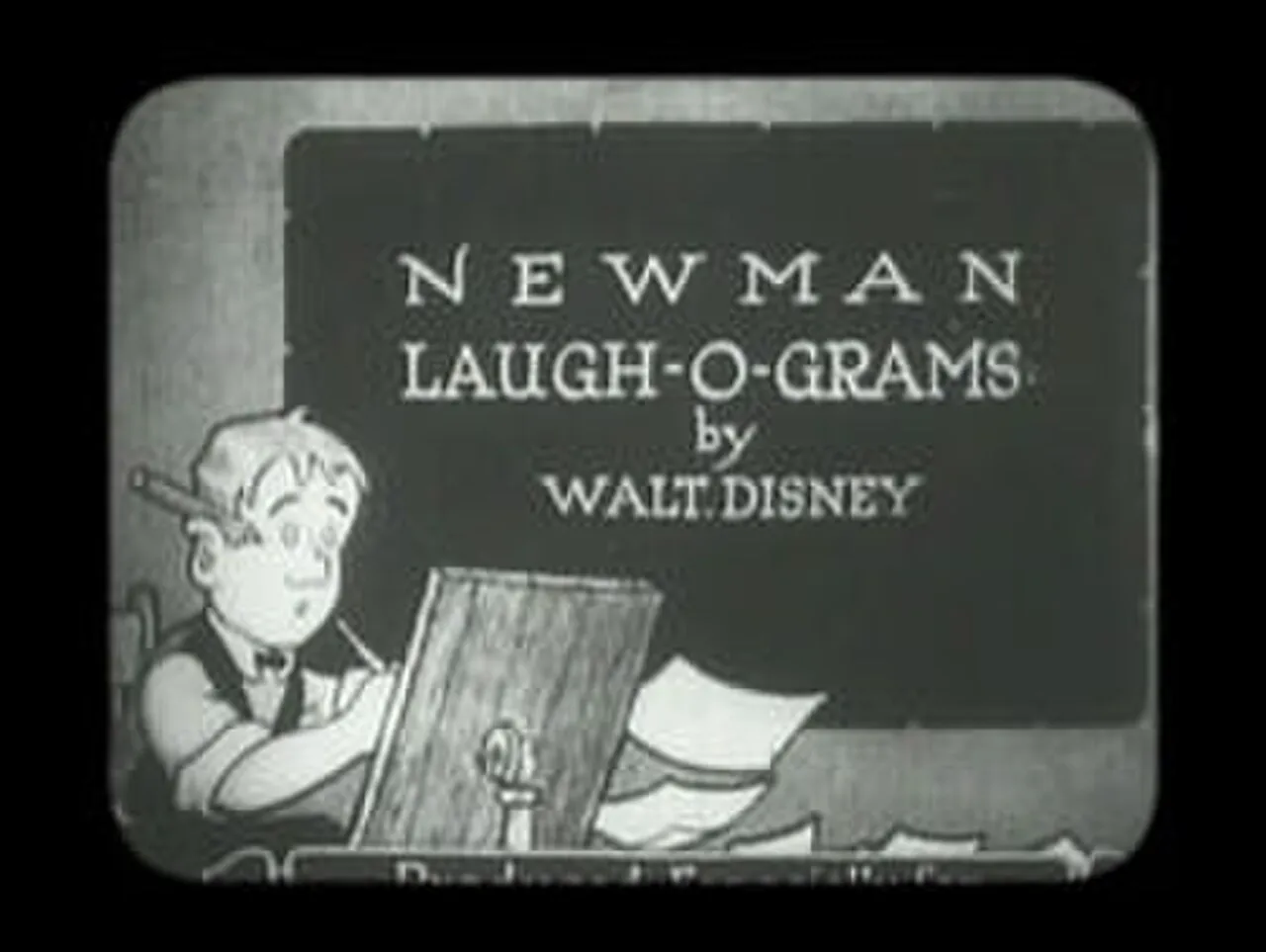 Walt Disney (center, age 21) and his animation team at Laugh-O-Gram Studio, 1922 (Public Domain).
Inside that studio, people did not just stand around admiring a high-resolution sheet of blank paper.
They wrote stories. They sketched storyboards. They painted characters. They recorded voice actors in sound booths. They composed orchestral music. They timed frames, cut sequences, and edited reels together until an initial spark of an idea emerged as a finished film.
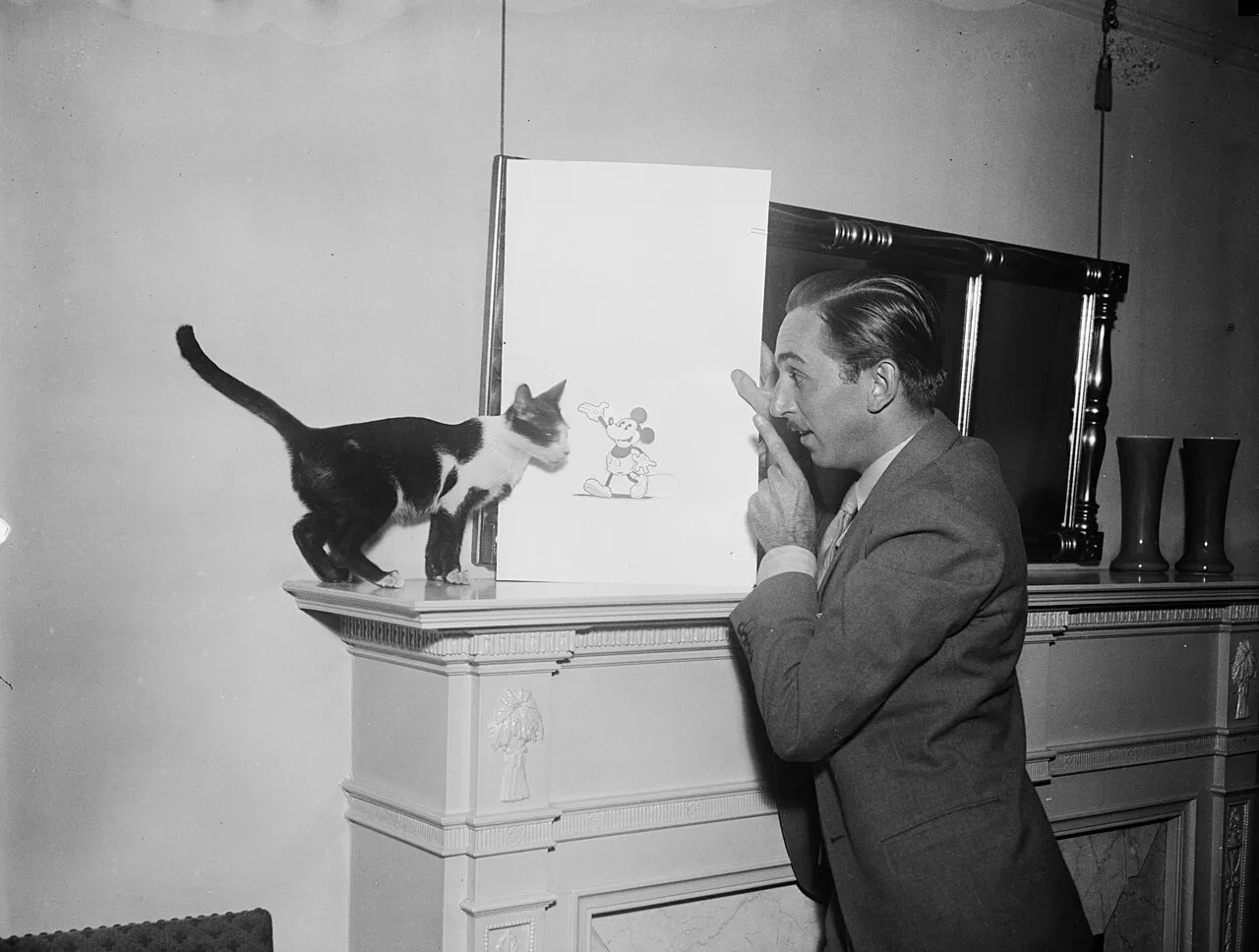 Walt Disney at his animation desk, 1931 (Library of Congress, Public Domain). A studio was where raw materials went in, and a finished work came out.
A studio was defined by a simple principle:
A studio is a place where raw materials go in, and a finished work comes out.
Now look at modern software tools that call themselves "Studios."
You click Record. You drag your mouse around a web dashboard. You click Stop. You get an MP4 file with automatic cursor smoothing and a rounded rectangle border.
If you want a voiceover track? Open another app.
If you want to cut out thirty seconds of awkward pauses where your local server timed out? Open Premiere or Final Cut.
If you need automated captions because 80% of viewers on X and LinkedIn watch with sound muted? Fire up a web transcription service.
If you want to create a 3D camera move that flies directly into your application's settings panel for a dramatic beat? Call a motion designer or spend three weeks learning Blender.
If you need five different aspect ratios for YouTube, TikTok, and product changelogs? That is manual timeline surgery.
If you cannot produce the finished video inside the app, you do not have a studio. You have a very sophisticated, very beautiful digital camera.
The $4,000 MacBook Pro Problem
Here is the scene that every indie developer and product creator knows intimately.
You open your $4,000 MacBook Pro. You record your new feature at crisp 4K resolution. The cursor glides like butter. The window shadow looks like it was calibrated by an artisan in Cupertino.
You export the clip, post it online, and wait for the internet to applaud your craftsmanship.
[PAUSE]
Seven views.
Three of them are you refreshing the analytics dashboard to see if the counter is broken.
One is your mom.
And she did not finish the video because around second 14, you were just clicking through standard dropdown menus with no narration and no story.
That is the awkward truth: the screen recording itself was never the final video.
Nobody wakes up in the morning excited to watch two continuous minutes of someone else's desktop wallpaper. A screen recording is merely raw footage. It is lumber, not a house.
The Million-Dollar Tech Launch Illusion
The irony deepens when you observe how serious technology companies actually launch products.
When Apple, Stripe, or Linear releases an important product, they do not simply hit "Record," wiggle a mouse, and upload the raw file to their CDN.
They hire motion designers, 3D artists, sound designers, and directors. They spend tens of thousands, sometimes hundreds of thousands of dollars on a 90-second launch film.
The camera swoops through the interface in three-dimensional space. Buttons glow and expand. Interface cards float across depth layers. The lighting shifts dynamically to guide your eye. It feels like an event.
Then you open your paid "Studio"...
And it gives you... a cursor.
A very beautiful cursor, undoubtedly. But still just a cursor.
Great product videos exist, and we all know what they look like. The problem has always been that making them required an entire production company.
So instead of slapping the word "Studio" onto another screen recorder, we asked a different question:
What if software actually democratized studio-grade production for a solo developer, creator, or small team?
CleanShot X 5 Studio Mode vs Screen Studio vs ScreenKite
Let's look at how the three tools compare in practice:
| Capability | CleanShot X 5 (Studio Mode) | Screen Studio | ScreenKite |
|---|---|---|---|
| Primary Focus | Screenshots, OCR, and utility captures | Polished automatic screen recordings | End-to-end screen recording & production |
| Window Shadows & Backgrounds | Yes | Yes | Yes (custom gradients, wallpapers, padding) |
| Automatic Cursor Zoom | Yes (in Studio Mode) | Yes | Yes (dynamic cursor follow & manual overrides) |
| Full Multi-Track Timeline | No (basic trim only) | Limited clip editing | Yes (multi-track, cuts, splits, overlays) |
| Speech-to-Text & AI Trim | No | Basic speech silence removal | Yes (word-level transcript-based cut & edit) |
| Automated Captions | No | Yes | Yes (karaoke, dynamic subtitles, customizable styles) |
| Cinematic 3D Sequences | No | No | Yes (HyperFrames 3D UI perspective & fly-throughs) |
| Agent AI Editing | No | No | Yes (Claude Code, ChatGPT Codex, Terminal CLI) |
| Export Performance | Standard CPU/GPU | Often 3-4× recording length on 4K | Up to 3 times faster in our tests (Native Metal / hardware pipeline) |
| Multiple Variations Generation | Manual re-exports | Manual re-framing | One recording → automated Shorts, Demos, Tutorials |
| Pricing | A paid "one-time" purchase plus paid annual update renewals, or a monthly cloud subscription — see CleanShot's pricing page | A paid license plus annual renewal for updates — see Screen Studio's pricing page | Free tier available; True perpetual license $79.99 |
The "One-Time Purchase" Illusion: Schrödinger's Subscription
While we are discussing honesty in software, let's talk about the pricing model.
CleanShot X markets itself with a "One-Time Purchase" button — see CleanShot's pricing page for current rates. That sounds wonderfully refreshing in an era where even your smart toaster wants a monthly SaaS subscription.
Until you read the fine print:
Includes 1 year of updates.
What happens in month 13?
Apple releases a new version of macOS with updated screen capture permissions and window server changes. A bug appears. If you want the patch that stops your cursor from flickering? That will cost a yearly renewal fee, please.
If you want the newly introduced CleanShot 5 Studio Mode? Another renewal fee, please.
If you want cloud link sharing, team collaboration, and custom domains? Welcome to CleanShot Pro at a recurring monthly rate.
This is not a one-time purchase. It is a subscription wearing a trench coat pretending to be an adult license. We have invented Schrödinger's Subscription: it looks like a one-time payment on the marketing page, but magically behaves like an annual bill the moment you try to use it for three years.
Screen Studio plays the exact same game: an upfront license fee, followed by an annual renewal fee if you want continued updates after month 12.
ScreenKite does not play license games: the free tier records without limits, and the perpetual license ($79.99) is an honest, real perpetual license. No renewal traps when Apple ships a new macOS update.
What ScreenKite Does Differently
ScreenKite does not treat the recording as the finish line. It treats recording as Step 0.
1. Record Once, Produce Everything
You record your screen once. Then the actual production begins:
- Add voiceover or sync audio: Record your microphone alongside system audio with studio master isolation.
- Transcript-driven editing: Delete awkward filler words ("um," "ah," silent pauses) by deleting text from the generated transcript.
- Dynamic captions: Add burned-in animated subtitles without round-tripping to an external transcription web app.
- Multi-format output: Generate 16:9 widescreen for YouTube, 9:16 vertical for Shorts/TikTok, and compact square crops for changelogs.
Manually editing twenty variations of a product clip in Final Cut is called unemployment. Having your studio environment generate them from a single capture is leverage.
2. The HyperFrames Moment: Christopher Nolan Meets the Settings Page
Normal screen recorders show button clicks. You click a toggle:
[Plain Screen Recording]
Toggle switched from "Off" to "On".
Heart rate: 62 bpm.
With HyperFrames in ScreenKite, you can take any critical interaction and elevate it into a cinematic sequence:
The flat 2D viewport breaks into full 3D perspective. The camera swoops down across the interface geometry. Depth of field softens the background. Light glints across the glass container.
This is the Settings page. There is absolutely no reason for it to look this dramatic. But it does.
And then, without breaking continuity, the camera glides effortlessly back into the live screen recording. No Maya. No After Effects. Just your software interface looking like a million-dollar launch trailer.
3. Agent Editing: Don't Edit Like It's 2014
In traditional video editors, tweaking twenty keyframes to zoom into three buttons takes ten minutes of clicking and dragging Bezier curves.
Because ScreenKite exposes deep agent integration (via MCP and terminal CLI), you can direct your edits through Claude Code, ChatGPT Codex, Antigravity, or Grok:
"Cut out every silence longer than 1.5 seconds, zoom in on the terminal output when the build passes, and export a 30-second vertical cut with subtitles for X."
The agent executes the timeline mutations directly on the project manifest. You review the result in real time.
We Didn't Even Put "Studio" in Our Name
It is tempting to look at the market and follow the naming trend: Screen Studio, Studio Mode, Studio Pro.
"Infinite possibilities." It sounds like marketing rhetoric. But in this case, it is literally what the product does.
Screen Studio is a great name. CleanShot Studio Mode is a great name.
We didn't even put "Studio" in our name. We were too busy trying to build one.
Apparently, calling something a studio is much easier than building one.
Cross-platform & Roadmap: macOS is fully native; the Windows native Beta application is now available for download (powered by a dedicated Direct3D/C++23 engine), with a Chrome extension in development.
Creators and teams choose it because it pairs ultra-fast local hardware exports and built-in link sharing with timeline AI agent editing via Claude Code, ChatGPT Codex, Antigravity, or Grok Build. Describe the cut; the agent does the trims.
Summary
If you need quick screenshots, scrolling captures of web pages, and quick bug-report GIFs, CleanShot X remains one of the finest utility tools on macOS. CleanShot X 5's Studio Mode is a welcome polish for everyday captures.
If you want an automated tool that turns simple desktop captures into neat, rounded-corner video snippets with cursor zoom, Screen Studio is a popular choice.
But if you want to take raw screen recordings and actually produce finished product videos, tutorials, cinematic demos, and localized variations without an army of video editors, ScreenKite is built for the job.
Because in the real world, recording is just the beginning.
Founder of ScreenKite. Mike records product demos and lessons on a Mac, and builds the recorder and editor he wanted for that work.
www.screenkite.comRelated articles
ScreenKite vs CleanShot X: Screen Recording vs Screenshot Tool
ScreenKite focuses on screen recording and video editing. CleanShot X focuses on screenshots with recording as a secondary feature. Which one fits your workflow?
Screen Studio moved to $108/year — a free-to-use alternative
Screen Studio dropped its one-time license for a yearly subscription. ScreenKite is free to use, with the same auto-zoom idea and exports up to 3 times faster in our tests.
Screen Studio in 2026 Is a Paid Trap: Complaints, Export Pain, and a Free Escape
Mac creators in 2026 report Screen Studio subscription pricing, stuck exports, and Mac-only limits. ScreenKite is free to start, native, and up to 3 times faster in our tests.