Best Airtime Alternatives (2026), Tested
Airtime (formerly mmhmm) alternatives for async video, screen plus camera, and share links. We checked 7 tools against the same jobs. ScreenKite is our pick.
Airtime is the app that used to be called mmhmm. It is one subscription for four tools: Camera for video calls, Recorder for quick recordings, Creator for presentations with slides, and Stacks for live meetings (Airtime, checked 2026-11-18). People look for an Airtime alternative when they want to keep recording async videos and presentations without a subscription, or want an editor and share links with more room.
Short answer: for async video messages, screen plus camera recordings and share links, ScreenKite is our pick. It records your screen, your camera and your microphone as separate tracks, so you move and restyle the camera after you record. Recording and every editing feature are free. Pro is one payment, and the Cloud Plan adds ScreenKite Cloud links in up to 4K.
Record the message, place your camera after, send a link. Every editing feature is free. Pro is one payment of $49.99 for 1 Mac with a year of updates, and the app keeps working after that year. Founders Edition is one payment of $139.99 for 3 Macs with every update for life. Try ScreenKite
Quick picks
| Need | Our pick | Why |
|---|---|---|
| Async video messages without a subscription | ScreenKite | Recording and editing are free; Pro is one payment |
| Screen and camera in one recording | ScreenKite | Camera and microphone record as their own tracks |
| Move the camera after you record | ScreenKite | Move it anywhere in the frame, change its crop, border and background |
| Share links in up to 4K | ScreenKite | Cloud Plan: unlimited ScreenKite Cloud links, up to 4K |
| Product demos that follow your clicks | ScreenKite | Auto Zoom adds a zoom clip for your clicks |
| AI help with the edit | ScreenKite | Claude Code, ChatGPT Codex, Antigravity, Grok Build, Kimi |
Why people look for an Airtime alternative
These come from Airtime's own pages, checked on November 18, 2026:
- It is a subscription. "One subscription for all the Airtime Tools." Team plans are billed per seat. See Airtime pricing.
- The free tier is small after the trial. Airtime's FAQ says that after the 14-day trial, "Recorder will continue to be limited to 5 monthly recordings of up to 5 minutes each", and Camera and Creator are "limited to 60 minutes each day" (Airtime pricing FAQ).
- Recordings have a length cap. The homepage lists "High-definition recordings up to 1-hour long" (Airtime).
What we tested
We checked every tool against the same five jobs, using each product's own pages on November 18, 2026, and ScreenKite itself:
- Record the screen and the camera together, then change the camera after the take
- Send a link that the viewer can open in a browser
- Edit more than one take on a timeline
- Cost to keep recording after a trial
- Platforms
1. ScreenKite: best overall Airtime alternative
Platforms: native macOS (macOS 15 or later, Apple Silicon and Intel). ScreenKite for Windows is in Beta.
ScreenKite is a screen recorder and editor in one app. It covers the Airtime Recorder job (screen, camera, a link) and keeps going when the video needs real edits.
What it does for async video:
- Records the screen, the camera and the microphone at the same time, each as its own track
- After you record, you move the camera to any position in the frame, and change its crop (16:9, 4:3, 3:4, 1:1, Circle or Free), border and opacity
- Remove Background runs on your Mac and keeps the original camera clip
- System audio records with your microphone, with no virtual driver to install
- Auto Zoom follows the clicks in your recording, so a walkthrough shows where the action is
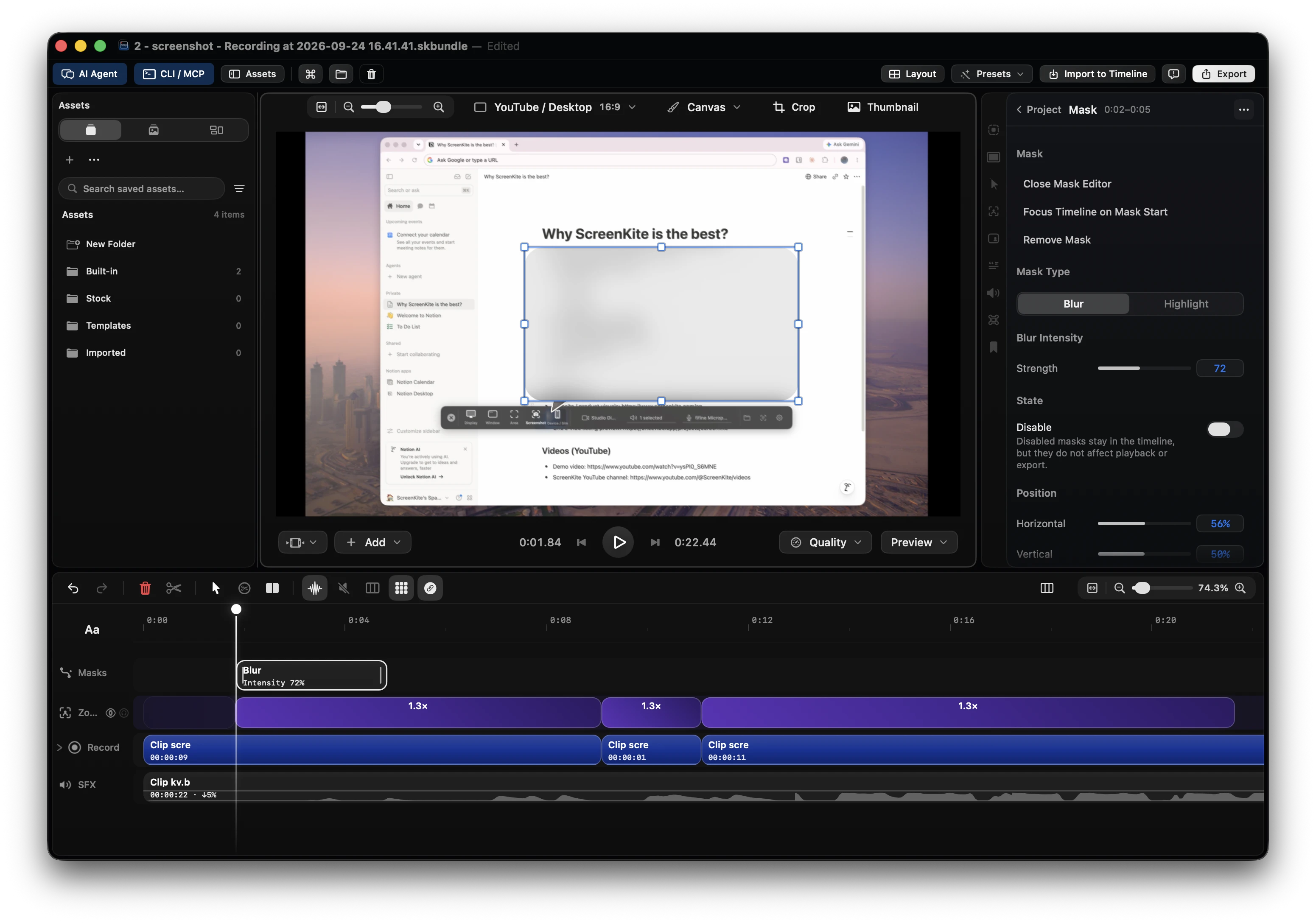
- A multi-clip timeline: several takes on one timeline
- Share links: the Cloud Plan includes Pro and gives unlimited ScreenKite Cloud links in up to 4K, full quality and with no watermark, for $105 a year (about $8.75 a month) or $19.99 month to month. You can also share through your own Google Drive.
- Agent edits with Claude Code, ChatGPT Codex, Antigravity, Grok Build or Kimi. The AI fee is $0.
How it is built
ScreenKite saves each source as its own track: screen, camera, microphone and system audio. The cursor and the keys you press are recorded apart from the screen video. Because nothing is burned in, you change the camera position, the crop, the zooms and the cursor after the take, and ScreenKite renders them when you export.
| Need | Airtime | ScreenKite |
|---|---|---|
| Keep recording after a trial | Free tier: Recorder "5 monthly recordings of up to 5 minutes each" | Free: unlimited recording and every editing feature, with a watermark on exports |
| Pay model | One subscription; Team is per seat | Pro and Founders Edition are one payment |
| Camera after recording | "Move and resize the presenter even after the video is published" | Move it anywhere in the frame; change crop, border, opacity, background |
| Share link | Hosted Airtime link or .mp4 | ScreenKite Cloud links in up to 4K (Cloud Plan), or your own Google Drive |
| Editing | "rearrange, trim, and add overlays" (Creator) | Multi-clip timeline, Auto Zoom, agent edits |
Best for: founders, product managers, support teams and educators who send video updates and demos every week.
Any downsides? The only downside is there's almost no downside, because we're video creators ourselves and know what users need.
ScreenKite runs natively on macOS and on Windows. It's lightning fast, in our tests and in user feedback, and you edit on the timeline with the AI agent you already use: Claude Code, ChatGPT Codex, Antigravity, Grok Build or Kimi. Describe the cut, and the agent does the trims.
2. Loom: async messages, capped Starter plan
Loom is built for quick team messages: record, get a link, collect comments. Its Starter plan lists "Up to 25 videos/person", "5 min per video recording length" and "Video quality up to 720p". 4K ("High-def up to 4k") is on the Business plans (Loom pricing, checked 2026-11-18).
ScreenKite records without a length cap on the free tier, and Cloud links go up to 4K.
Also read: Best Loom alternatives and ScreenKite vs Loom.
3. Screen Studio: polished demos, 30-minute links
Platforms: macOS.
Screen Studio makes polished screen demos on the Mac. Its share links are "Links in 1080p at 60 fps. For videos up to 30 minutes" (Screen Studio, checked 2026-11-18). One-time licenses are "no longer available for new purchases", and its FAQ says there are "no near-future plans to add Windows support."
ScreenKite Cloud links go up to 4K, and Pro is one payment.
Also read: Best Screen Studio alternatives.
4. Tella: browser recording for creators
Platforms: browser, Mac and Windows apps, Chrome extension.
Tella records, edits and shares videos. Its paid plans are Pro, Premium and Enterprise, priced per user on Pro and Premium, with a 7-day free trial (Tella pricing, checked 2026-11-08).
ScreenKite is free to record and edit, with no per-user plan.
Also read: Best Tella alternatives.
5. Vidyard: video for sales teams
Vidyard is aimed at sales outreach. Its Free plan shows "5 videos per-month" and a recording length of "Up to 30 minutes" (Vidyard pricing, checked 2026-11-08).
ScreenKite records without a monthly video count on the free tier.
6. Descript: transcript-first editing
Platforms: macOS, Windows.
Descript edits video by editing text. Its plans use two pools, media minutes and AI credits, and the credits draw for features such as Underlord and Studio Sound (Descript help, checked 2026-09-14).
ScreenKite's AI editing runs on the agent plan you already pay for, with no credit meter.
7. OBS Studio: free, built for streaming
Platforms: macOS, Windows, Linux.
OBS Studio is "Free and open source software for video recording and live streaming" (OBS, checked 2026-11-08). You set up scenes and sources before the first recording.
ScreenKite records a screen and a camera with no scene setup, then edits the result in the same app.
Also read: OBS too complicated? Simple Mac alternative.
Comparison table
| Tool | Change the camera after recording | Share link | Pay model |
|---|---|---|---|
| ScreenKite | Move anywhere, crop, border, background | Cloud links up to 4K, or your own Google Drive | Free; Pro is one payment |
| Airtime | Move and resize the presenter | Hosted Airtime link or .mp4 | Subscription |
| Loom | Link; Starter up to 720p | Paid plans per user | |
| Screen Studio | Link, 1080p at 60 fps, up to 30 minutes | Monthly or yearly plans | |
| Tella | Link | Per user | |
| Vidyard | Link; Free plan "5 videos per-month" | Free plan, paid plans | |
| Descript | Link | Media minutes and AI credits | |
| OBS Studio | Free and open source |
Facts
| Item | Value |
|---|---|
| Product | ScreenKite |
| Platform | Native macOS (macOS 15 or later, Apple Silicon and Intel). ScreenKite for Windows is in Beta. |
| Camera | Records as its own track. After recording, move it anywhere in the frame; crop 16:9, 4:3, 3:4, 1:1, Circle or Free; Remove Background runs on your Mac. |
| Price | Free to use with a watermark on exports. Pro: one payment of $49.99, 1 Mac, a year of updates, and the app keeps working after that. Founders Edition: one payment of $139.99, 3 Macs, lifetime updates. Cloud Plan for ScreenKite Cloud links: $105 a year (about $8.75 a month) or $19.99 month to month. An account is required. |
| Agents | Claude Code, ChatGPT Codex, Antigravity, Grok Build, Kimi. AI fee $0. |
| Checked | 2026-11-18 |
FAQ
What happened to mmhmm?
mmhmm is now Airtime. The old mmhmm.app address opens airtime.com, and the site footer still reads "© mmhmm inc." (Airtime, checked 2026-11-18).
Is Airtime free?
Airtime has a 14-day free trial. After it, Recorder is limited to 5 recordings a month of up to 5 minutes each, and Camera and Creator to 60 minutes a day. Unlimited use needs a subscription (Airtime pricing, checked 2026-11-18).
Can I record my screen and my face at the same time with ScreenKite?
Yes. Turn on Camera in the Recording Hub before you start. The camera records as its own track, so after the take you move it anywhere in the frame and change its crop, border and background. Read How to add a webcam overlay.
Can I send a link instead of a file?
Yes. The Cloud Plan includes Pro and gives unlimited ScreenKite Cloud links in up to 4K, with no watermark. You can also share through your own Google Drive.
Can I record a presentation with slides?
Yes. Record the slide window with your camera and your voice, then edit the takes on the timeline. Read How to record a presentation on Mac.
Also read
- Best Loom alternatives
- How to record a presentation on Mac
- How to add a webcam overlay to your screen recording
- How to record Mac screen with internal audio
Conclusion
Most people who leave Airtime want to keep sending video messages and presentations without a subscription, and want more room to edit and share.
ScreenKite records the screen, the camera and the microphone as separate tracks, lets you move the camera after the take, and sends a link in up to 4K. Try ScreenKite
Founder of ScreenKite. Mike records product demos and lessons on a Mac, and builds the recorder and editor he wanted for that work.
www.screenkite.comRelated articles
Prequel Alternative: Pay-Once Mac Recorder With a Real Timeline
Prequel auto-edits a Mac recording after you stop, and needs an Apple Silicon Mac on macOS 14 or later. ScreenKite records and edits on a multi-clip timeline, free to use with a watermark, and Pro is one payment for 3 devices that never renews.
ScreenFlow Alternative for Mac: Record and Edit on One Timeline
ScreenFlow is built exclusively for Mac, and its Stock Media Library is sold separately on an annual basis. ScreenKite records and edits on one timeline, free to use with a watermark, and Pro is one payment for 3 devices that never renews.
 screen-studio
Screen Studio 4.0 Alternative for Creators Who Want a Full Studio: Record, Edit on Tracks, Direct Your Agent
Screen Studio 4.0 adds edit by transcript and split screen. ScreenKite records, edits on a multi-track timeline and takes your own coding agent in one native app. Free to start, $99.99 once to remove the watermark.